
Uncategorized
How to get IPTV on an iPhone?
Jun
In this article, we will explain how to get IPTV on an iPhone. You’ll learn what IPTV is, how it works, and the simple steps to use it on your device.
We will guide you through downloading the right app, adding your playlist, and setting everything up easily.
Note: If you need a specialist blog in iptv, check out: Bytegeek.
What is IPTV, and can I use an iPhone for it?
IPTV stands for Internet Protocol Television, which allows you to watch live channels, movies, and series online instead of using satellite or cable. It works with M3U or Xtream Codes playlists. Yes, you can use an iPhone for IPTV through legal apps available on the App Store.
How to get IPTV on iPhone (Step by step)
1. Prepare What You Need First :
In the first step, make sure you have a stable internet connection, either high-quality Wi-Fi or a 4G/5G network. You also need a legal IPTV subscription, either an M3U link or Xtream Codes credentials.
2. Download an IPTV App from the App Store:
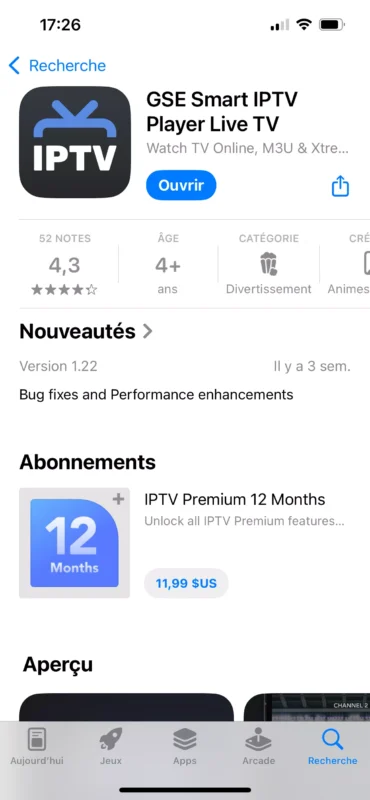
Next, go to the App Store and search for a suitable iptv player compatible with your iptv services. Once you find one, download the app and install it on your device.
3. Open the App and Set Up IPTV:
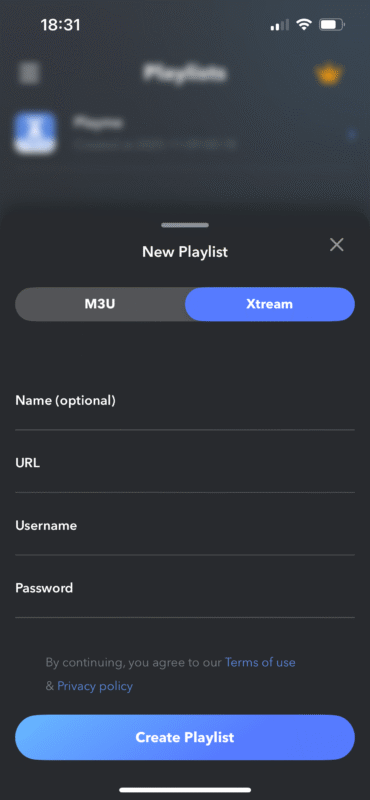
After you download iptv, open the app. In most cases, you will see options like Add Playlist, Add M3U, or Login with Xtream Code. If you have an M3U link, copy the url provided by your service and paste it inside the M3U field. If you prefer to use iptv through Xtream Code, you must enter the server details: iptv account username, password, and server url, then choose a name for your playlist. Always make sure to check your privacy and security when entering your login information.
4. Save the Playlist and Start Watching:
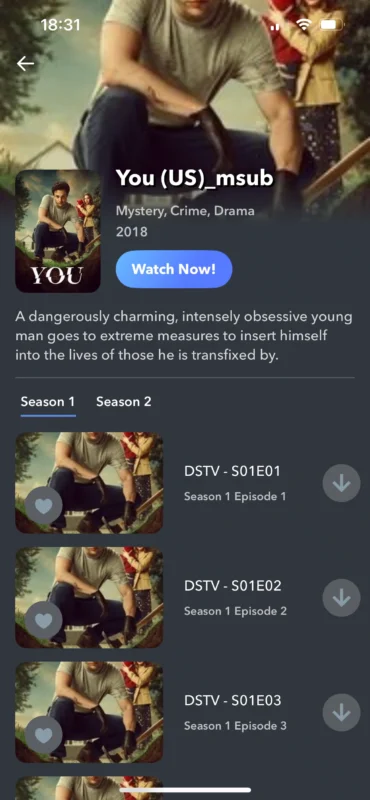
After adding your details, the player application will load all TV channels and live TV channels from your iptv service provider. You can watch iptv on iOS with smooth streaming. Use the EPG to find your favourite channels easily. For the best iptv experience, a vpn and strong internet improve iptv streaming across a wide range of devices. These user tips ensure stable viewing.
5. Improve Your Viewing Experience :
To improve your streaming experience, it’s recommended to use a strong Wi-Fi connection instead of mobile data. You can also connect your iPhone to a TV that supports this feature, especially if you want smoother playback or access to catch-up TV. For better performance, close heavy apps to keep the system user-friendly. Choosing apps verified by Apple ensures reliability and data collection policies. These tips answer many frequently asked questions and help you enjoy a stable viewing experience.
Conclusion
This guide to iptv helps you get started with the right iptv player app for safe streaming. Always check app privacy and choose a media player with an electronic program guide to access iptv content, 4k channels, and video on demand. Whether using TV boxes or iOS, rely on ratings and reviews to enjoy stable iptv.
